Archive Job Details
Each archive job has a details page that provides general information about the job and lists all objects (e.g., quiz attempts or assignment submissions) that were archived by it, including the users they belong to.
The job details page can be accessed from the course archiving overview by clicking on the Details button of the desired archive job. Alternatively, you can click on the number of archived objects that is displayed next to the activity name inside the job overview table.
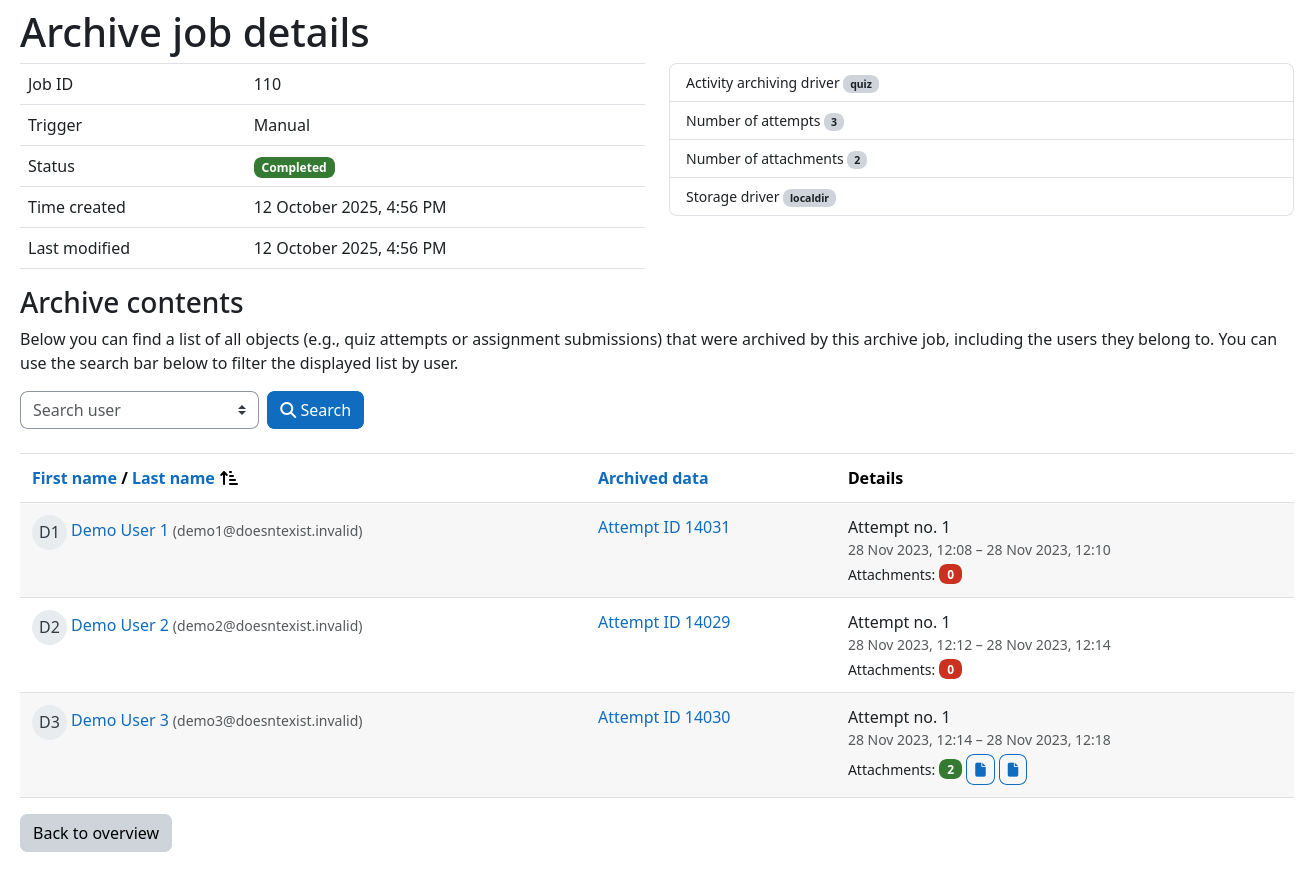
Job information and metadata
The top section of the page displays general information about the archive job, such as its ID, the trigger that created it, its current status, and the time it was created and last modified. Next to it, additional job metadata is listed (e.g., the used activity archiving and storage drivers, or the number of archived attempts and attachments).
Archive contents
The table at the bottom of the page lists all objects that were archived by this archive job. For each object, the following information is displayed:
- User: The user the archived object belongs to, including additional identity fields (e.g., email address) if configured by your Moodle administrator.
- Archived data: A label that identifies the archived object (e.g., Attempt ID 1234) and links directly to it (e.g., the quiz attempt review page).
- Details: Additional information about the archived object, provided by the respective activity archiving driver. For quizzes, this includes the attempt number, the attempt date, and links to attached files. For assignments, the submission attempt number and date are shown.
Searching for specific users
You can use the user search bar above the table to only display objects that belong to a specific user.